
MAVLINK HUD
High-performance MAVLink telemetry feedback for ELRS & ArduPilot. Mount your phone for a professional dashboard, or use AR/XR glasses for the industry's first true Heads-Up Display.
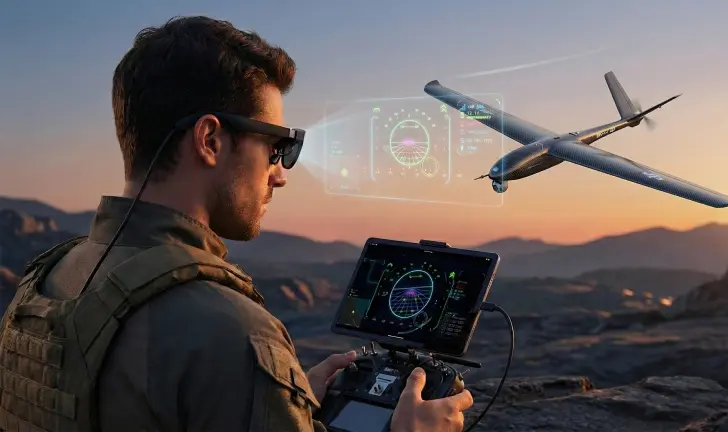
AR/XR HEADS-UP DISPLAY
Project critical flight data directly into your field of view. By connecting AR glasses via USB-C, you can monitor ArduPilot telemetry while maintaining 100% visual contact with your aircraft. No other app offers this.
ELRS INTEGRATED
The perfect companion for ELRS users. Skip the complexity of setting up a Yaapu Script and dealing with limited Lua UIs. Just connect to your ELRS backpack's Wi-Fi hotspot to subscribe to MAVLink telemetry data from the flight controller, all conveniently displayed in an intuitive user interface.
AUDIO ENGINE
A comprehensive set of audio notifications for critical alerts like battery low, flight mode changes, and arming status. Stay focused on flight, not the screen.
OFFLINE MAPS
Never worry about map data again. Unlike Mission Planner, which relies on internet connectivity for maps, MAVLink HUD features an entire offline world map. After initial app setup, the map quickly loads anywhere, anytime, providing pilots with reliable navigation and points of reference regardless of internet access.
THE FIELD UTILITY GAP
Pilots have traditionally been stuck between two extremes. On one end, full desktop suites like Mission Planner and QGroundControl offer incredible depth for configuration but are clunky, heavy, and overkill for simple field flights. Carrying a laptop just to check battery voltage is impractical.
On the other end, tools like the Yaapu Script offer portability but are constrained by the limited screen real estate of a radio transmitter and the complexity of the CRSF protocol.
THE SWEET SPOT
MAVLink HUD bridges this gap. It provides a robust, easy-to-setup telemetry feedback mechanism that runs smoothly on the device you already carry. By focusing on deep optimization for ArduPilot and ELRS, we deliver a "Glass Cockpit" experience that is clean, professional, and highly portable.
TRUE HEADS-UP DISPLAY
Stop looking down at your tablet. MAVLink HUD is the first and only app to support direct USB-C connection to AR/XR glasses like the XREAL Air, Rokid Max, and Viture One.
Maintain Line of Sight
Keep 100% visual contact with your drone while seeing altitude, battery, and attitude overlaid on the horizon.
Plug & Play
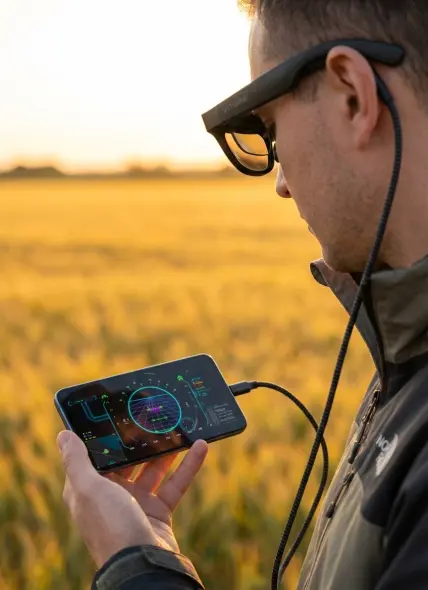
No heavy goggles or HDMI adapters. Just plug your glasses into your phone's USB-C port. The app detects the secondary display automatically.
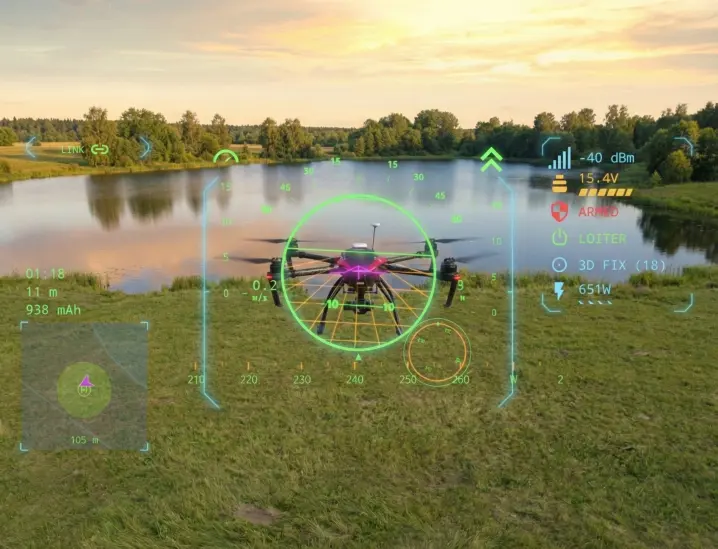
SEE IT IN ACTION
MISSION CAPABILITIES
Visual Priority
Stay focused. Connection widgets fade and dim during flight to reduce clutter, while critical warnings use aggressive "Glitch" animations to demand immediate attention when needed.
Mission Statistics
Track flight duration and distance from home with precision. Our timers sync with the flight controller's internal clock, ensuring accuracy even during high-speed log replays.
Responsive Layout
Built on a strict 16:9 Safe Frame architecture. Whether you fly with an ultra-wide phone or a 4:3 tablet, your instruments remain perfectly positioned in your scan pattern.
Smart Energy Rail
Go beyond simple voltage. Our non-linear LiPo discharge curve and mAh integrator give you a visual "fuel gauge" you can actually trust to bring your bird home.
FIELD REPORTS
"Offline maps was something that came with DJI controllers. I never realized how much I missed that feature until I saw it working now with ArduPilot. It's a game changer for reliability in remote zones."
"This thing makes me feel like Iron Man. This is some sci-fi stuff. Seeing my telemetry floating in the sky while I keep my eyes on the drone is exactly what I've wanted since I started flying."
"I have a lot more confidence to operate a plane at long range when the telemetry data is so easy to read. I used to squint at my radio screen to check link health; now it's all clear, bright, and professional."
SITUATIONAL AWARENESS
The biggest threat to a safe flight is losing visual contact with your aircraft. MAVLink HUD keeps your eyes where they belong: on the drone.

The Old Way
Constantly glancing down at a tablet or laptop to check battery levels and GPS status. Every second your eyes are on the screen is a second you aren't watching your aircraft.
The HUD Advantage
Telemetry data is projected directly into your field of view. Monitor voltage, altitude, and warnings while maintaining 100% Line of Sight (LOS). It's the ultimate tool for professional ArduPilot operations.
TECHNICAL SPECIFICATIONS
16:9 SAFE FRAME ARCHITECTURE
Guarantees consistent UI layout across all devices, from ultra-wide phones to 4:3 tablets. No overlapping widgets.
ARTIFICIAL HORIZON
Inside-out display with glowing neon pitch ladder, clipped horizon ring, and dynamic perspective grid.
AUDIO ENGINE
Rule-based audio alerts for battery low, flight mode changes, and arming status. Supports TTS fallback.
> INITIALIZING GRAPHICS ENGINE...
> LOADING ASSETS... [OK]
> CONNECTING TO MAVLINK STREAM... [UDP:14550]
> LINK ESTABLISHED. RATE: 50Hz
> CHECKING BATTERY STATUS... 24.5V [98%]
> GPS LOCK ACQUIRED (12 SATS)
> WARNING: GEOFENCE ACTIVE
> READY FOR FLIGHT
Hardware Ecosystem
Designed for the modern professional. MAVLink HUD leverages the USB-C DisplayPort Alt Mode to drive high-resolution overlays without the bulk of traditional FPV goggles.
- XREAL Air / Air 2
- Rokid Max / Station
- Viture One / Pro
- Any USB-C AR Display
FREQUENTLY ASKED QUESTIONS
Is the AR/XR support the only advantage over Mission Planner?
The AR capability is unique, but the app solves three other critical problems for ArduPilot users:
1. The Telemetry Bridge: It is the seamless solution for visualizing MAVLink data on ELRS setups, filling the gap where OpenTX radios struggle with high-bandwidth telemetry.
2. Field Ergonomics: Unlike desktop-first apps, this is a dedicated Primary Flight Display (PFD). It turns your mounted phone into a high-visibility instrument panel.
3. Offline Reliability: Inspired by professional integrated remotes, our dedicated offline mapping engine guarantees you have terrain data in remote locations without needing a cellular connection.
Does this app support DJI drones?
No. MAVLink HUD is designed exclusively for the open-source ArduPilot and PX4 ecosystems. It does not support proprietary DJI protocols.
How do the offline maps work?
The app downloads a single, quantized world map file (approx. 3GB) from our high-speed Cloudflare R2 storage. Once downloaded during the initial setup (requires internet), you will never need an internet connection for map data again, ensuring you have detailed terrain information anywhere, anytime.
What makes this better than QGroundControl?
QGroundControl is an excellent piece of software for full drone configuration and mission planning. However, for daily flying, it can be overkill and resource-heavy on mobile devices. MAVLink HUD is a native Android application designed specifically for flight. It offers a cleaner interface, faster performance, and lower battery drain when you just need telemetry in the field.