Troubleshooting & Compliance
Executive Summary
Remote ID adds a layer of complexity to the arming process. Because it is a legal requirement in many jurisdictions, ArduPilot treats it as a critical safety system by default. Most issues stem from Hardware Connection or Operator Location data.
Theory & Concepts
1. The Arming Check
When DID_ENABLE is true and DID_OPTIONS (bit 0) is set to EnforceArming, ArduPilot will prevent arming if the Remote ID system is unhealthy.
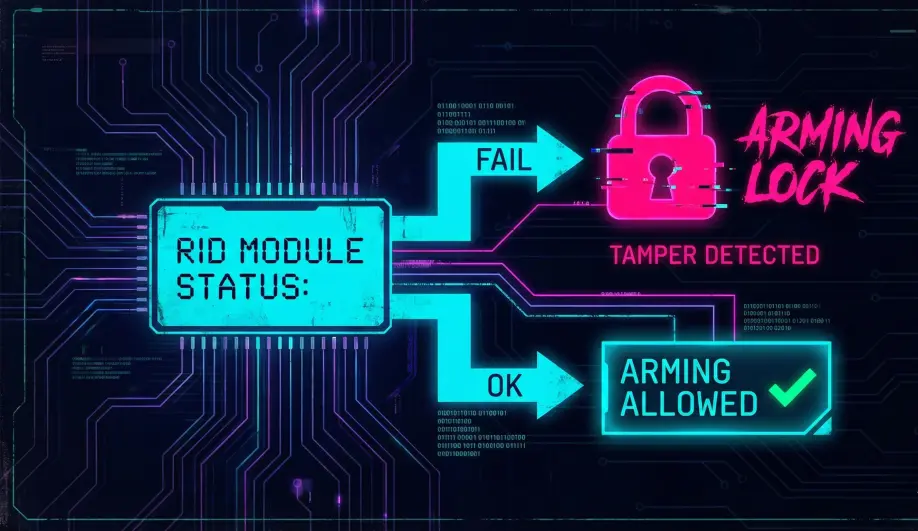
- Health Criteria:
- Hardware connected and talking.
- Drone GPS Location valid (3D Fix).
- Operator Location valid (received from GCS).
- Basic ID configured (UA Type, ID Type, Serial Number).
Codebase Investigation
1. Arming Checks: AP_Arming::opendroneid_checks()
Located in libraries/AP_Arming/AP_Arming.cpp.
- Calls
AP_OpenDroneID::pre_arm_check. - Common Error:
"[RemoteID](/field-manual/remote-id/core-concepts-and-regulations.html): System not available".- Cause: The GCS hasn't sent the Operator Location packet (
OPEN_DRONE_ID_SYSTEM_UPDATE). - Fix: Ensure your phone/tablet has GPS enabled and is connected to the drone.
- Cause: The GCS hasn't sent the Operator Location packet (
2. Hardware Monitoring
Located in libraries/AP_OpenDroneID/AP_OpenDroneID.cpp.
- Error:
"[ODID](/field-manual/remote-id/core-concepts-and-regulations.html): lost transmitter".- Cause: No heartbeat from the RID module for > 5 seconds.
- Fix: Check wiring (RX/TX swapped?), Baud rate (
SERIALx_BAUD), or CAN termination.
How To: Troubleshoot Common Errors
1. "RemoteID: System not available"
- Meaning: ArduPilot doesn't know where you (the pilot) are.
- Fix: Connect Mission Planner or QGC. Wait for the GCS to get a GPS lock on your computer/phone. The GCS automatically sends this to the drone.
2. "UA_TYPE required in BasicID"
- Meaning: You haven't told ArduPilot what kind of drone this is.
- Fix: Set DID_UA_TYPE to
2(Multicopter) or1(Aeroplane).
3. "RemoteID: Arm Status Failure"
- Meaning: The Remote ID hardware itself is reporting an internal error (e.g., its own GPS is bad, or internal self-test failed).
- Fix: Check the module's LEDs/documentation.
Compliance Checklist
- Hardware: Module installed and powered.
- Config:
DID_ENABLE=1,DID_CANDRIVERorDID_MAVPORTset. - Identity:
DID_UAS_IDmatches your label. - GCS: Connected and providing Operator Location.
- Test: Use the OpenDroneID Android app to verify you are broadcasting before takeoff.