Embedded MAVLink: Integrating with ESP32 & Arduino
Executive Summary
For high-performance companion computers (like ESP32 or STM32), you cannot use Python (pymavlink). You must use the generated C/C++ headers. These headers provide a highly optimized, allocation-free way to serialize and parse MAVLink packets directly from the UART byte stream.
Theory & Concepts
1. Header-Only Architecture
The MAVLink C library is "Header-Only."
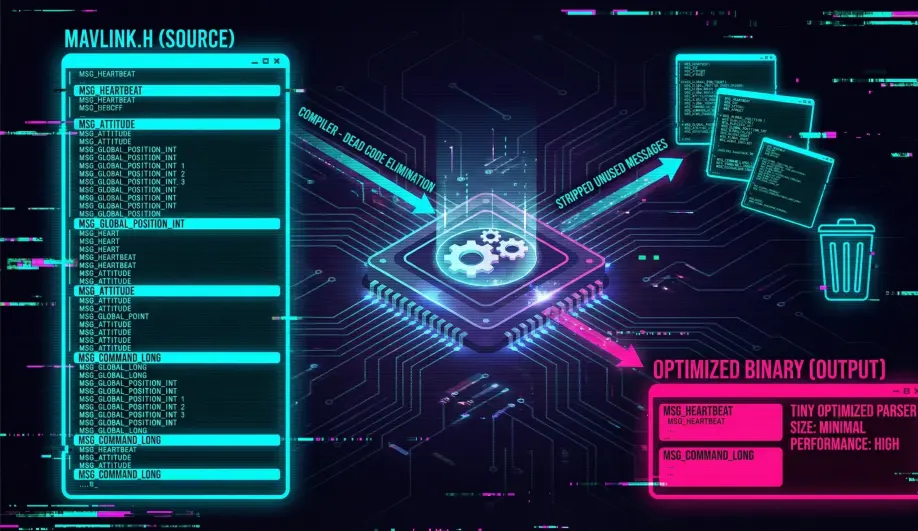
- What it means: There is no
.cppfile to compile. All the logic is in.hfiles usingstatic inlinefunctions. - Why: This allows the compiler to optimize away unused messages, resulting in zero overhead for messages you don't use.
- Integration: You simply
#include "mavlink.h"and point your compiler to the directory.
2. The State Machine Parser (mavlink_parse_char)
MAVLink is a stream protocol. Bytes arrive one by one.
- The Problem: How do you find a packet in a continuous stream of bytes?
- The Solution: A state machine.
- Wait for Magic Byte (
0xFEor0xFD). - Read Length.
- Read Sequence.
- ...
- Check CRC.
- Wait for Magic Byte (
- Result: The parser returns
1only when a valid, verified packet has been fully reassembled.
Architecture (The Engineer's View)
1. Packing a Message
To send a message, you use a "Pack" function.
- Function:
mavlink_msg_heartbeat_pack([sysid](/field-manual/advanced-tuning/system-identification-mode.html), compid, &msg, type, autopilot, ...) - Output: It fills a
mavlink_message_tstruct. - Serialization: You then call
mavlink_msg_to_send_buffer()to convert that struct into a byte array for your UART driver.
2. Parsing a Message
To receive, you feed bytes into the parser one by one.
while (Serial.available()) {
    uint8_t c = Serial.read();
    if (mavlink_parse_char(MAVLINK_COMM_0, c, &msg, &status)) {
        // Packet Received!
        switch (msg.msgid) {
            case MAVLINK_MSG_ID_HEARTBEAT:
                handle_heartbeat(&msg);
                break;
        }
    }
}
Key Parameters for Integration
- System ID: Your device needs a unique ID (e.g., 51 for a Gimbal, 100 for a Camera). Don't use 1 (The Drone) or 255 (The GCS).
- Component ID: Defines what you are (e.g.,
MAV_COMP_ID_ONBOARD_COMPUTER).
Source Code Reference
- ArduPilot Wrapper:
GCS_MAVLINK - Core Parser:
mavlink_helpers.h(Generated)
Practical Guide: The Heartbeat (Hello World)
If you don't send a heartbeat, ArduPilot won't talk to you. Here is the minimum code to establish a link.
1. The Setup
#include "mavlink/common/mavlink.h"

// My Identity
uint8_t my_sysid = 1; // Same vehicle
uint8_t my_compid = 191; // MAV_COMP_ID_ONBOARD_COMPUTER
2. The Loop (1Hz)
void send_heartbeat() {
    mavlink_message_t msg;
    uint8_t buf[MAVLINK_MAX_PACKET_LEN];

    // Pack the message
    // Type: Onboard Controller, Autopilot: Invalid (I'm not a flight controller)
    mavlink_msg_heartbeat_pack(my_sysid, my_compid, &msg,
                               MAV_TYPE_ONBOARD_CONTROLLER,
                               MAV_AUTOPILOT_INVALID,
                               0, 0, 0);

    // Serialize
    uint16_t len = mavlink_msg_to_send_buffer(buf, &msg);

    // Send via UART
    Serial.write(buf, len);
}
3. The Result
Open Mission Planner -> Ctrl+F -> MAVLink Inspector.
You should see a new Component (191) appearing in the list, updating every second.